
Best Tinder Profile Photos: 5 Types Most Get Wrong
This article is part of Dating App Photos: The Complete Guide.
Most people who aren't getting matches on Tinder aren't doing something catastrophically wrong — they're making small, fixable mistakes starting with the first photo they chose.
This guide covers what Tinder's own data says about which Tinder profile photos work, which ones kill your match rate, and how to fix what you already have.
Why Your Tinder Photos Matter More Than Your Bio
Most Swipe Decisions Are Photo-Based
Tinder's own data confirms users spend under 2 seconds per profile. Your bio, interests, and Spotify anthem don't register if the first photo doesn't pass.
The 5 Photos That Get Matches on Tinder
Here's what makes good Tinder pictures, based on the platform's own data.
#1: Solo Headshot — The Non-Negotiable
A well-lit solo headshot where you're smiling performs roughly 37% better than an unclear or group first photo. Face clearly visible, direct eye contact, natural smile — that's the formula.
Just upload your photo and hit Start Editing. Our AI — trained on what makes photos attractive — automatically enhances your original shot.
+27% match rate from a clear first photo — Tinder Swipe Life
+10% additional boost from a genuine smile in the first photo — Tinder Swipe Life
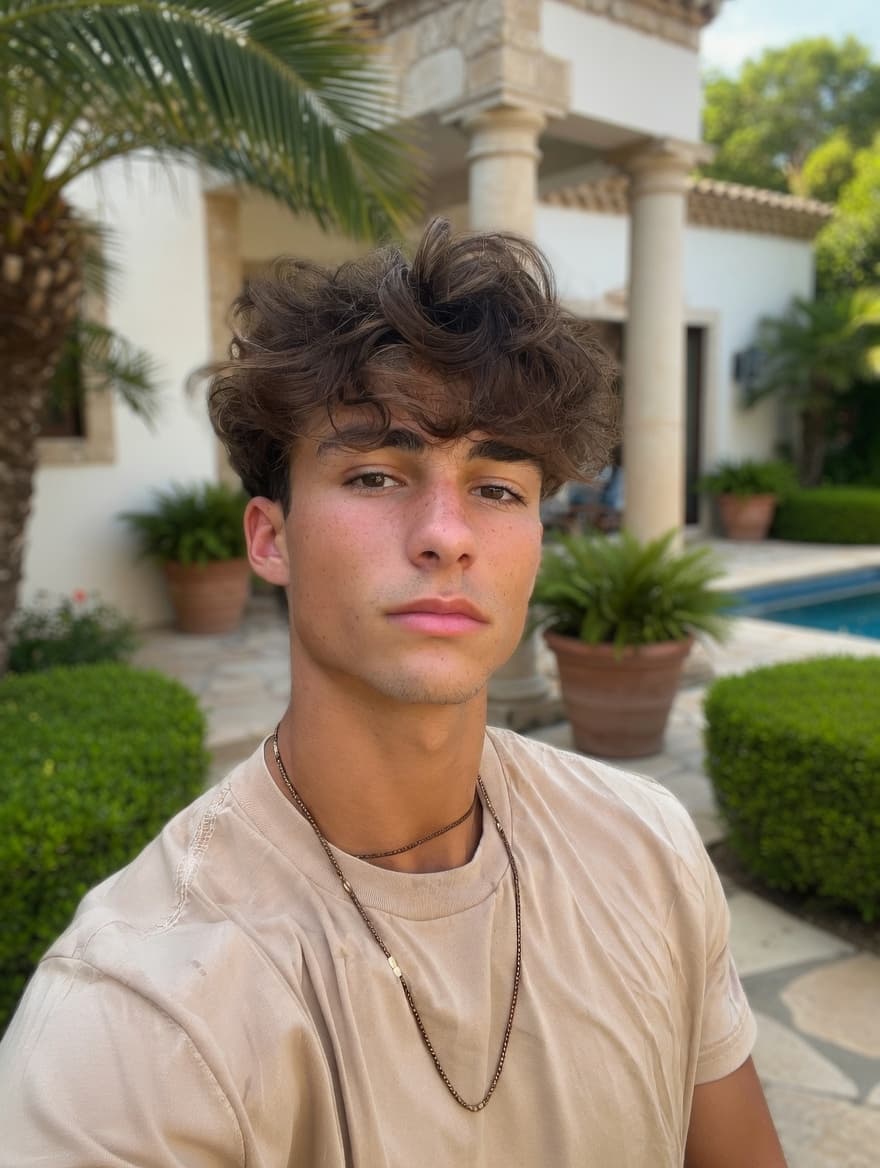 BeforeAuto Mode
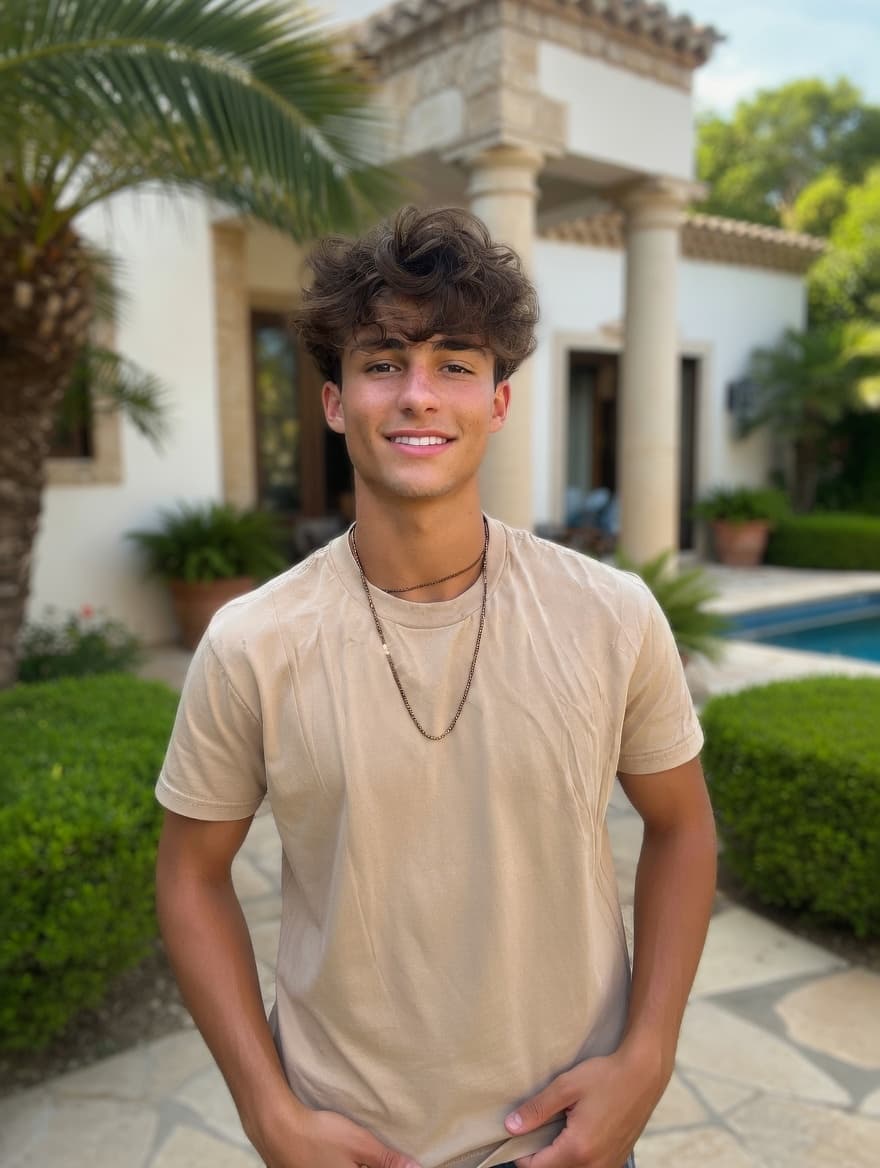 After
AfterPhotoAI doesn't fabricate. It enhances the real you to help you get more matches as yourself.
#2: Full-Body Shot — More Important Than Most People Think
When there's no full-body photo, users assume something is being hidden. A candid outdoor shot or activity photo head-to-toe is enough — no fashion shoot needed.
#3: Activity Shot
Activity photos signal you have a life and create a natural conversation starter. Best placed as your 2nd or 3rd photo to reinforce the headshot impression.
#4: Social Photo — One Is Enough, Not First
One group photo is fine and shows you have a social life. Rules: not first, and you must be clearly identifiable.
Got a great group photo where you look good? PhotoAI's Custom Input Mode lets you describe exactly what to change — extract yourself from the group and turn it into a clean solo shot.
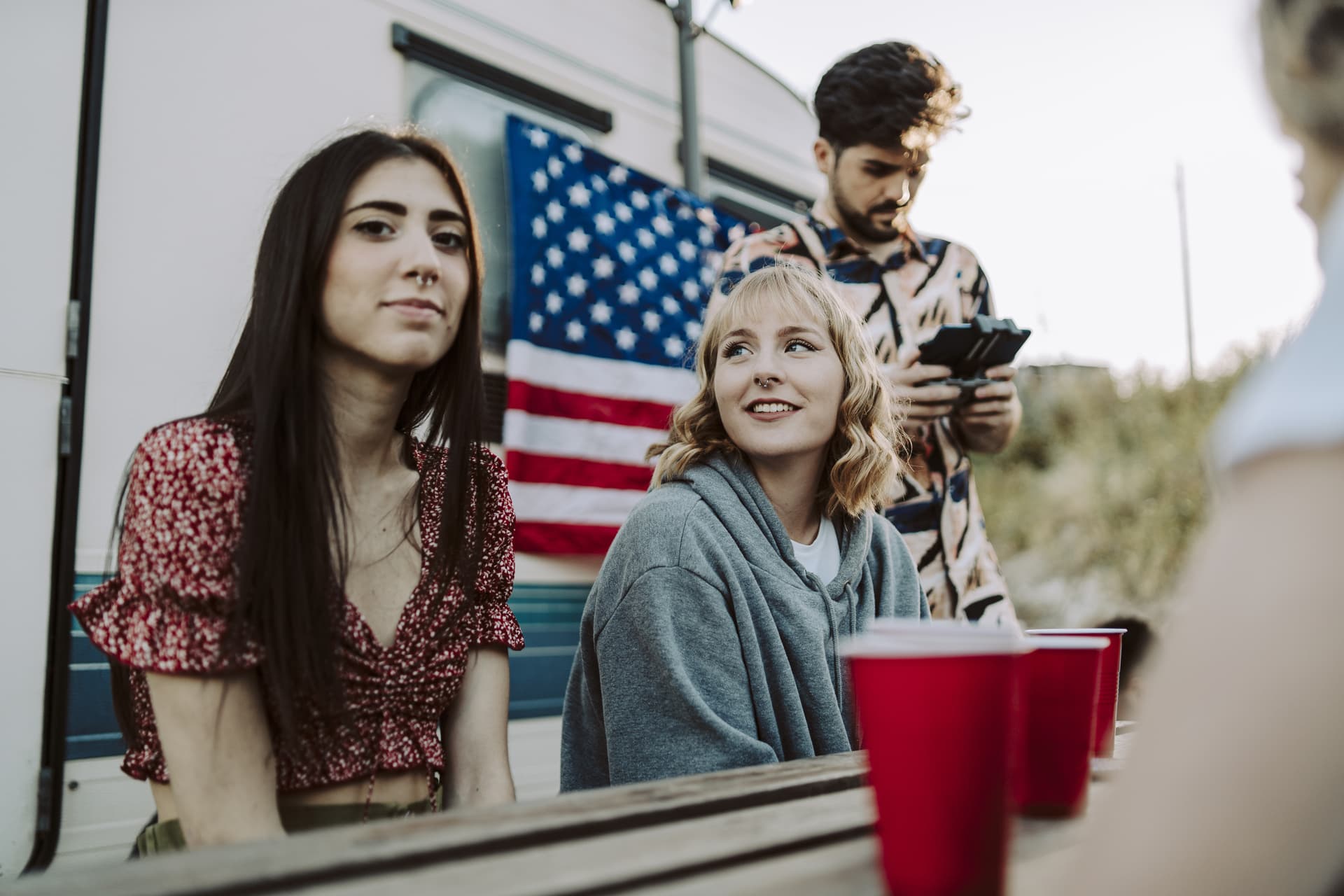
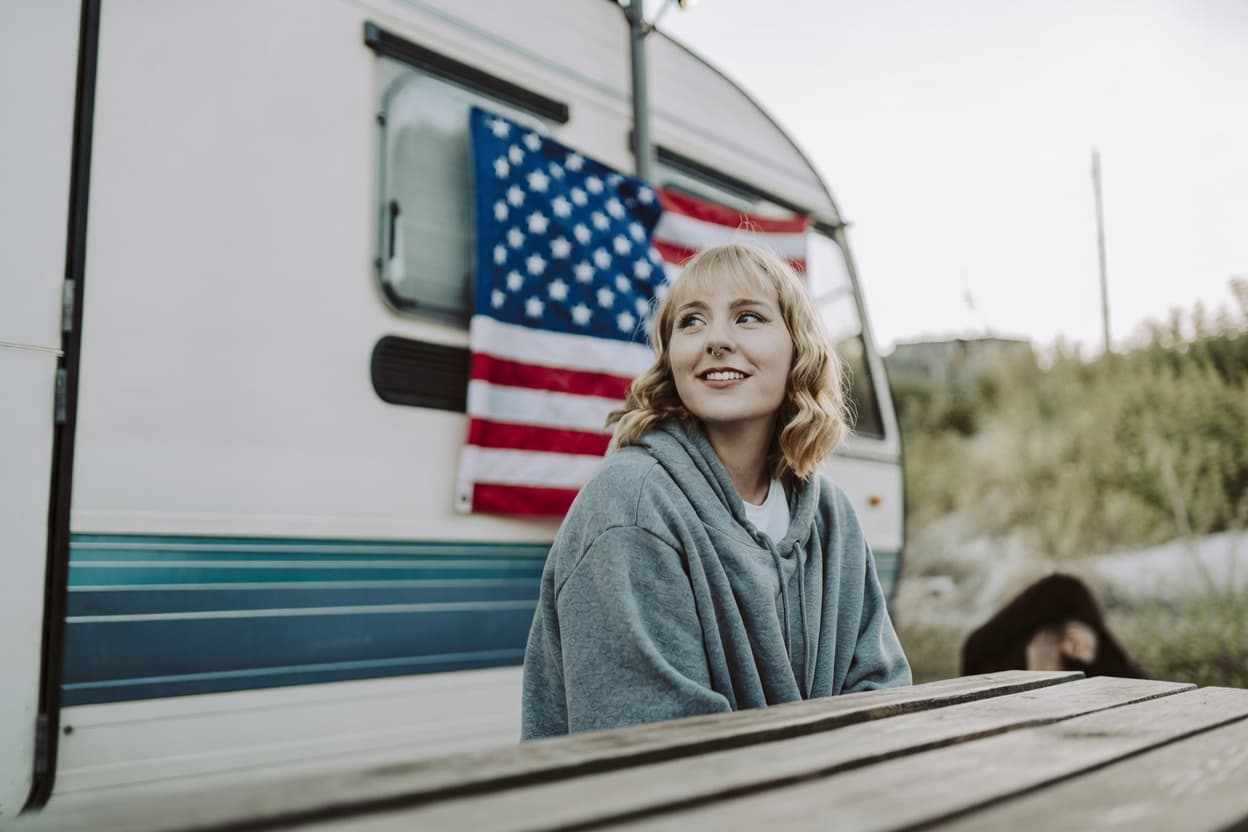 After
AfterPhotoAI doesn't fabricate. It enhances the real you to help you get more matches as yourself.
#5: Dog or Pet Photo
Works best in slots 3–6. A photo of you actively engaging with the pet outperforms a posed "look at my dog" shot.
Photo Mistakes That Kill Your Match Rate
Over-Editing: The Fastest Way to Get Left-Swiped
Tinder's Photo Selector specifically flags over-edited photos and deprioritizes them. The platform's own AI works against heavy processing.
AI photo editing tools are trending. Compositing backgrounds of places you've never been, putting you in clothes you don't own. Using AI to create a fake version of yourself clearly hurts your match rate — Tinder's own algorithm deprioritizes profiles that look artificially processed.
PhotoAI doesn't fabricate. It enhances the real you to help you get more matches as yourself.
Gym Selfies
Mirror framing, harsh overhead lighting, and gym backgrounds combine into a low-effort impression. If you want to show fitness, an outdoor activity shot works far better.
Opposite-Gender Person in the First Photo
Even a sibling or colleague creates ambiguity about availability. If your best photo has an ambiguous other-gender person, crop or use AI person removal.
Sunglasses in the First Photo
Eye contact is one of the primary signals users use to evaluate a profile photo — sunglasses remove it entirely. Fine as a supporting photo in outdoor contexts; measurably costly as the opener.
Photos More Than 2–3 Years Old
Old photos that still look like you are fine. Photos of a significantly younger or different version of yourself set up a mismatch on the first date — users who feel misled rarely give second chances.
Fix Your Existing Photos Instead of Starting Over
Most people don't need new Tinder profile pictures — they need better versions of photos they already have.
Step 1: Camera Roll Audit
Scroll through and identify:
- Solo shots where your face is clearly visible (even if lighting is off)
- Group photos where you look good — candidates for person removal
- Activity or travel photos, even casual ones
- Full-body photos, even if not "profile-ready" as shot
Most people have more usable raw material than they think.
Step 2: Fixable vs. Not Fixable
Fixable with PhotoAI:
- Group photos where you look good — PhotoAI can extract you into a solo shot
- Photos with an ex or unwanted person — PhotoAI can remove them cleanly
- Selfies where your expression looks good — PhotoAI can make them look naturally taken
- Low-light or dim photos — PhotoAI can correct the lighting
- Distracting or cluttered background — PhotoAI can clean up or replace the background
- Bathroom or gym selfies — PhotoAI can clean up the background (but don't replace it with a place you've never actually been)
Fixable but needs a retake if severe:
- Body language is closed off (crossed arms, turned away) — PhotoAI can adjust posture in mild cases, but a natural retake is better for major issues
Not fixable — needs a new photo:
- Face is blurry or obscured
- Expression is forced or uncomfortable
- Screenshots or heavily filtered photos where the original quality is lost
Step 3: Post-Process Your Best Candidates
Lighting correction alone can improve match rate up to 10x for photos where bad lighting was the primary issue. The constraint: results must look natural. If post-processing is visible, it's counterproductive.
You don't need new photos. You need better finishing.
Summary
The data:
- First photo with clear face: +27% match rate (Tinder Swipe Life)
- First photo with genuine smile: +10% (Tinder Swipe Life)
- Group photo: -4% match rate (Tinder)
- Dog photo: +5% match rate (Tinder)
- Opposite-sex person in first photo: -6% (Tinder)
- Smart Photos feature: +12% from showing the right first photo
The checklist:
- Solo headshot as first photo — face clearly visible, genuine smile
- Full-body photo somewhere in the stack
- One activity or hobby shot
- One group photo (not first, clearly identifiable)
- Run Smart Photos or Photo Selector to confirm which of your best Tinder photos actually performs
- Post-process your best candidates — fix lighting, clean backgrounds, remove distracting people
These are the best pictures for Tinder according to the data.
Related Guides
For more Tinder profile tips beyond photos:
- If you're not getting matches and unsure why your photos aren't working: Dating App No Matches: Why Your Photos Are the Problem (And How to Fix Them)
- If you want to build a photo stack from scratch using AI tools: DIY Dating Profile Photos with AI: From Camera Roll to Match-Ready
- For the universal 6-photo formula and how many photos you actually need: Dating Profile Photos: What Actually Works
- If you also use Hinge or Bumble: Hinge vs Bumble: Photo Strategy by Platform
Turn your existing photos into dating profile winners
Background swap, lighting correction, and person removal — all with a simple text prompt.
Not AI-generated faces. Your real photos, enhanced.
From $1 / No subscription / Pay per use
Related Articles
No Matches on Tinder or Hinge? Fix Your Photos First
Still no matches on Tinder or Hinge? 76% of swipes are decided by photos alone. Run the 5-point photo audit and fix what's costing you matches today.
Best Dating Profile Photos: 5 Types Ranked by Data
5 dating profile photo types ranked — for men and women: headshot +102%, full-body +203%, activity 3× more comments. Plus the mistakes silently killing your match rate.
Best Hinge & Bumble Photos: What Actually Gets Matches
Hinge photo tips from a 180K-photo study: eye contact +102%, activity +166%. Plus Bumble verification rules — what you can and can't edit.
DIY Dating Photos at Home + AI Editing (No Photographer)
2-step DIY dating photoshoot: go outside, shoot with rear camera, run through AI. Plus why AI generators backfire and what actually works.